Graphing
Explicit curves
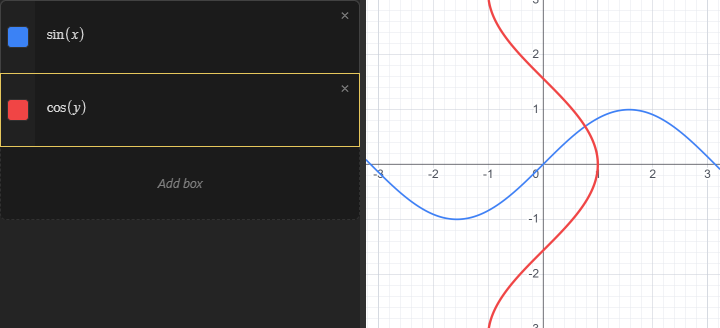
To graph a curve, type an expression that uses the variable x into a box. Any box whose value depends only on x is drawn in the graph as the curve y = (your expression). Note that the expression is written bare: there is no need to put y= in front of it.
Using y instead of x works the same way and draws the curve sideways: a box that depends only on y is drawn as x = (your expression).
An expression that uses both x and y at once is not drawn as an explicit curve. To graph a relationship between the two variables, write it as an equation instead. Equations (including simple ones like "y" equals sin ( "x" )) are handled as implicit graphs, which have their own page.
Color and thickness
Every graphed box gets a color swatch next to it. Click the swatch to toggle the curve on and off in the graph. Right click or long left click the swatch to open the style menu, where you can pick a different color and adjust the thickness of the curve.